
24 hours Design challenge
Mobile experience concept that lets you buy products in real time
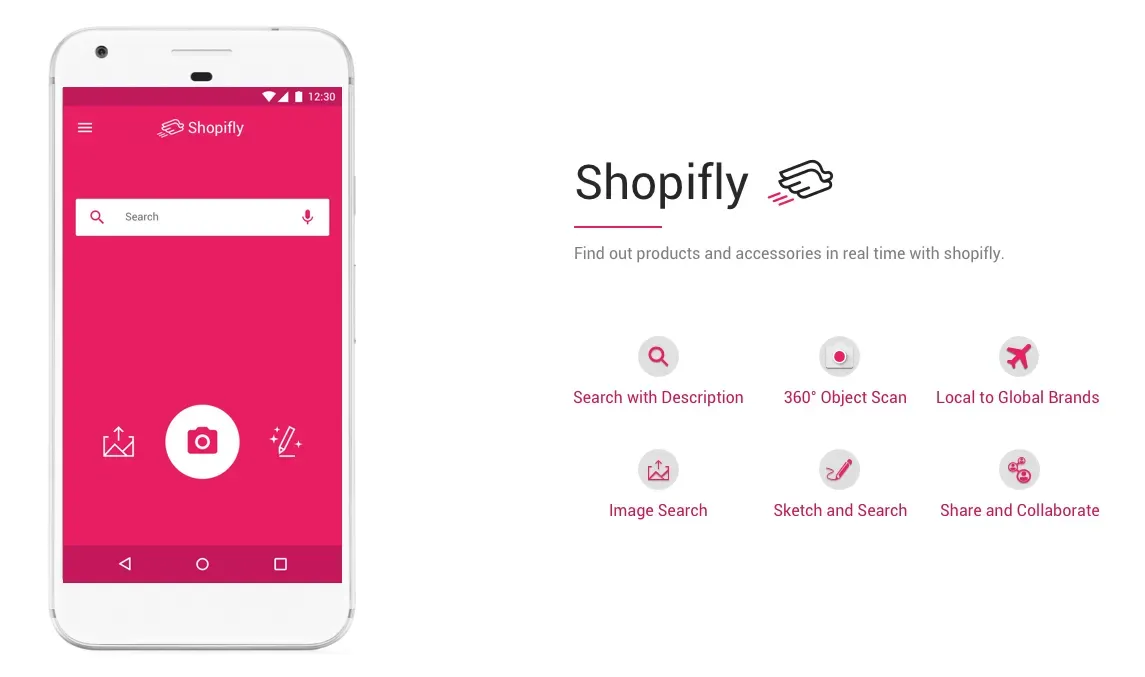
Prompt: Imagine a mobile app that enables you to impulsively identify and purchase a garment or accessory that you see in real life. Design an end-to-end flow covering the experience from the moment of awareness to purchase completion.
Time: 24 hours.
Tools: Pen and paper, Balsamiq, Sketch.
Constraint: Technology constraint: smartphone with camera
Result: A mobile experience concept that lets you buy garments or accessories with the help of smartphone and possible extension of 360° camera
My Approach
The overall design process took around 20–24 hours. I spent the majority of time on understanding problem space followed by design exploration.
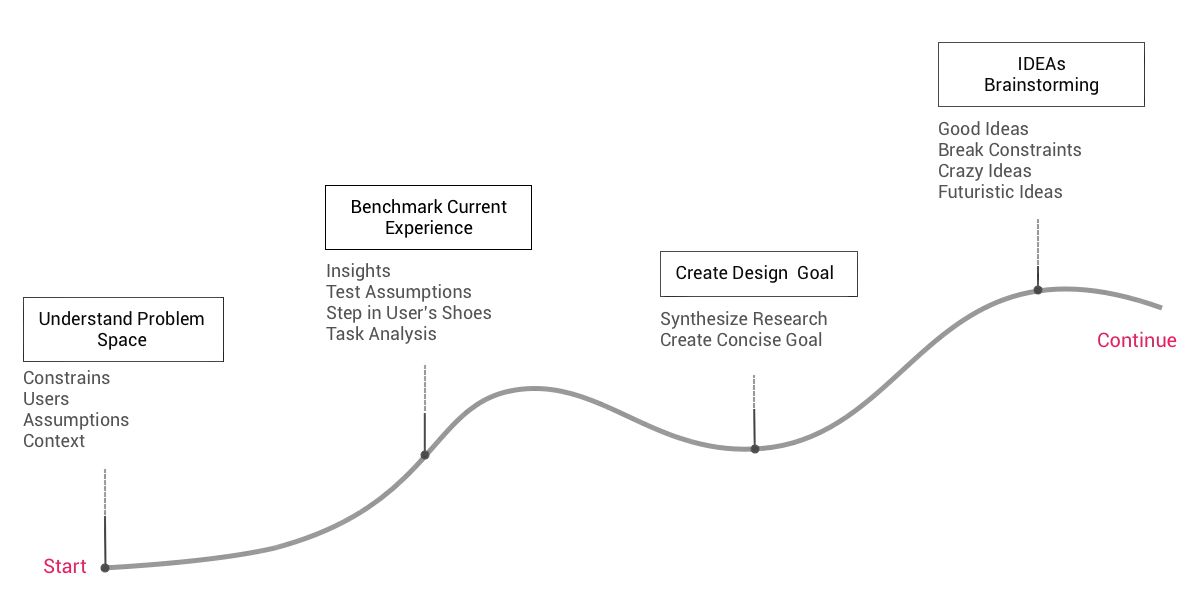
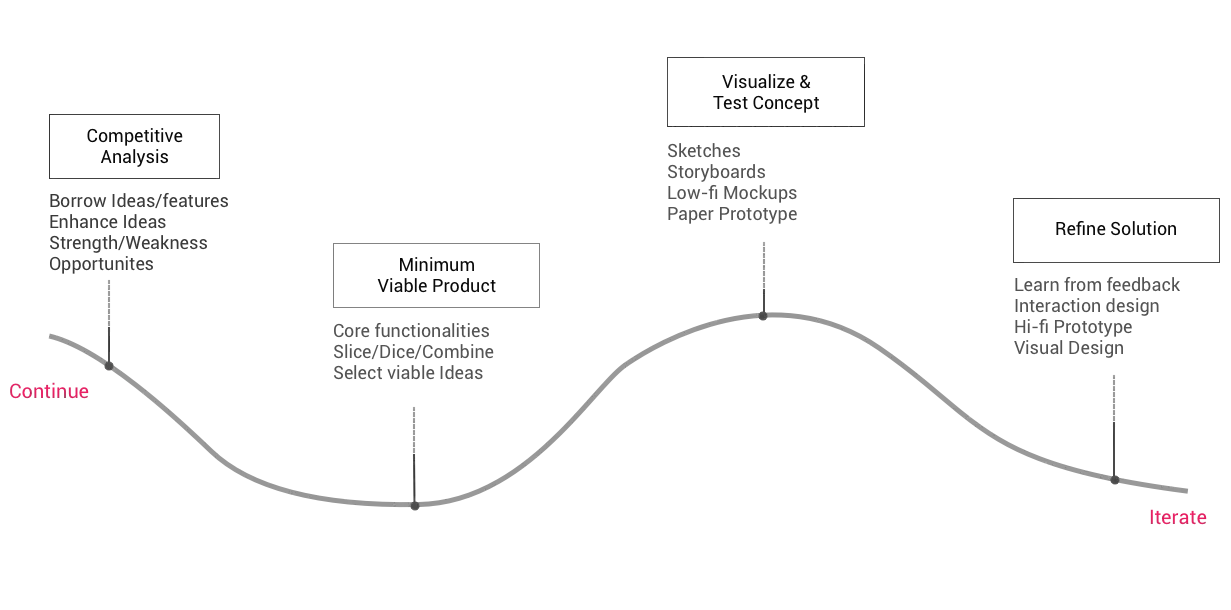
To me, the precise understanding of key constraints, assumptions, and the users in context helps to define boundaries of problem space which results in better solutions.
Research
All of us at some point would have seen shirt or jeans while walking on the street that you absolutely would like to have. So my first step was to visualize myself as the user and analyze my own behavior. While it was useful, I decided to conduct an observation study to avoid the confirmation bias.
I asked my friend to help with my research. She is a millennial who loves shopping especially online shopping using her smartphone — a perfect user for my study.
I planned a visit to downtown Indiana in the evening when its mostly busy. After a brief walk, I pointed her towards a girl wearing a nice pair of shoes.I asked her —
Me: What would she do if she were to buy same shoes right now?
Her: I will take a picture and search online.
Me: What if could not take a picture and you really want those shoe?
Her: If possible, I will talk to her and find out from where she got those.
Me:What if you could not talk to her?
Her: I will probably, Google it. That shoe seemed to be from Nike.
Based on our conversation and my observations, I mapped out user behavior as following:
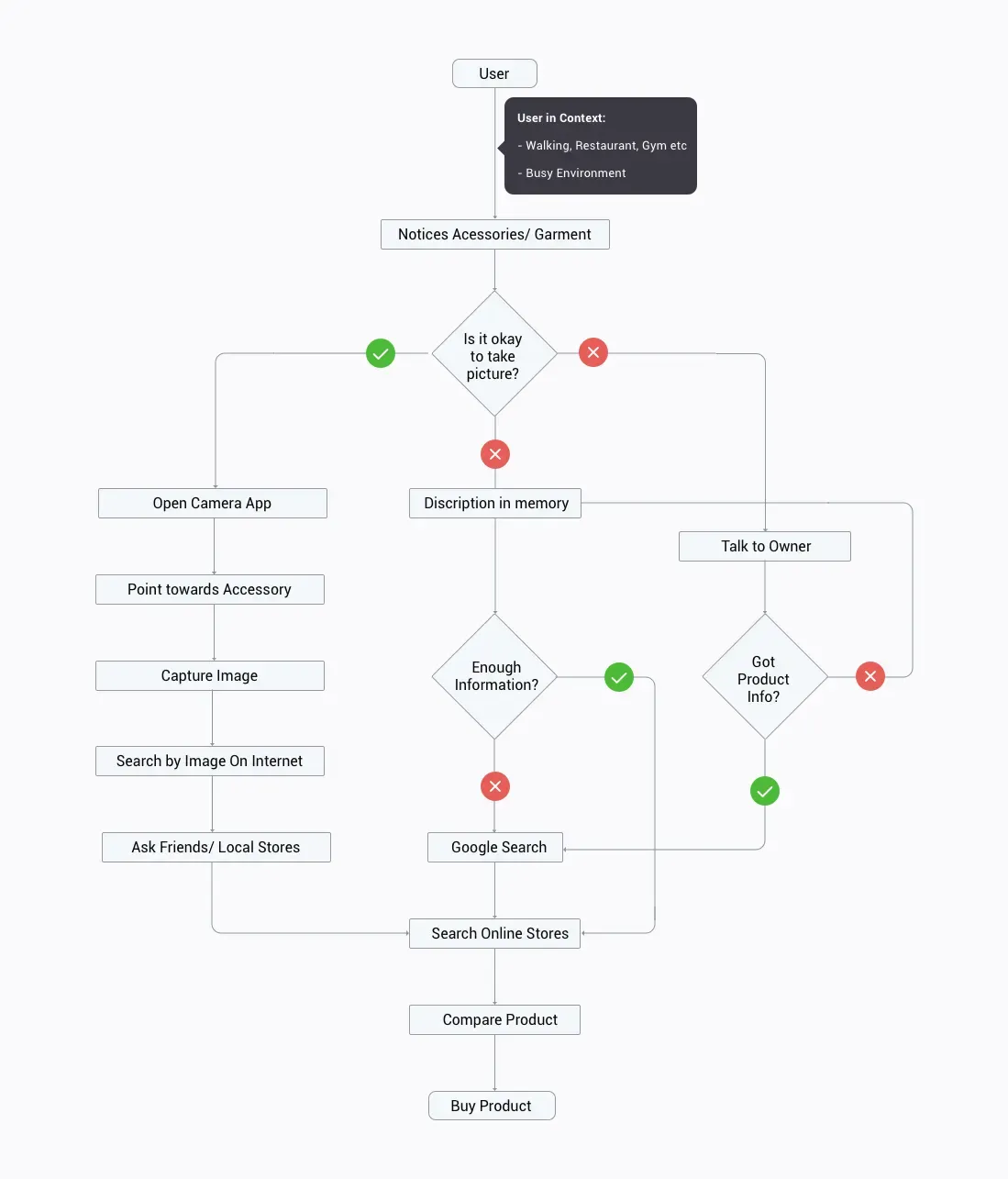
After talking to few more potential users, I gathered a bunch of insights about user’s context and their behavior patterns.
User Behaviour
- It is difficult to capture a picture while user and target accessory is moving.
- There is a significant delay between the moment of awareness till capturing a picture with the smartphone.
- Often user notices things on impulse and may get just get a glimpse of accessory.
- Many users preferred to talk to the owner of the accessory if they really like the accessory or garment.
Context
- The user environment is often crowded.
- The user may be in a place where taking a picture is not allowed or is subjected to privacy concerns.
- Taking pictures of strangers in public could be viewed as awkward.
Other key Questions
- What if the accessory or garment is beyond camera range?
- What if the user is introvert and reluctant to talk to the accessory owner?
- What if the user couldn’t describe the accessory with enough details to search on Google?
Design Goal
After analyzing the research insights, I created a goal to brainstorm possible design directions.
To design a mobile experience in a constantly changing environment where user notices things on impulse, have limited time to observe accessories and is subjected to respect privacy so that he or she can buy the accessory.
Ideation
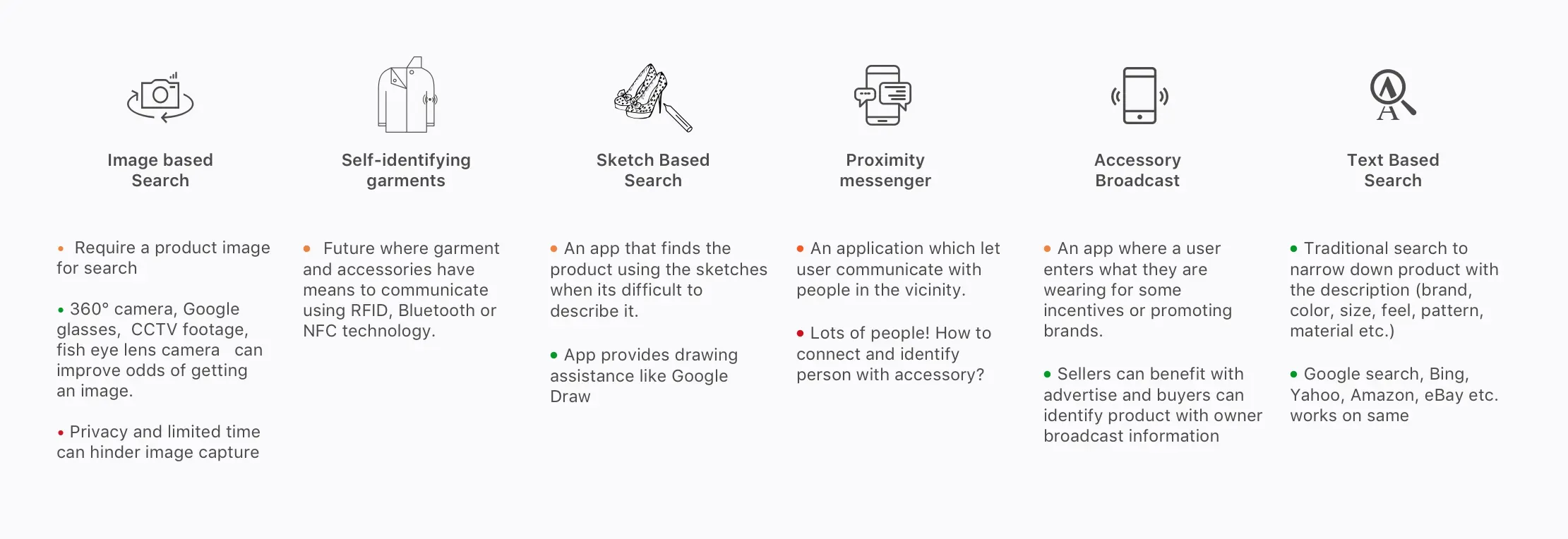
Keeping design goal in mind, I started thinking the possible solution. Some solutions were pretty obvious like image search and text search. While sketch-based search and self-identifying garments and accessories solution were new and speculative. I realized, by breaking basic constraints I am able to come up with radical solutions.
Design Solution
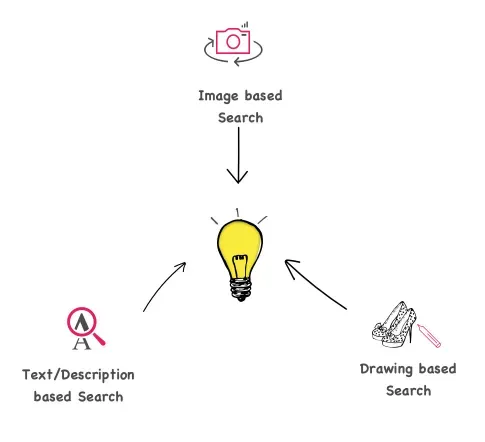
Considering viability, the solutions with an image and a description based search were picked for further exploration. I made the assumption that the image and text-based search is good enough to recognize and match product listing from local and global stores.
To get around the time delay in capturing a picture, I thought of leveraging fisheye lens camera or spherical camera technology. So that users don’t have to point the camera to the accessory. And if at all users are not able to capture the picture, they could search it using rough drawing or text description.
The final solution was a mobile application which can work standalone with smartphone camera but can also be extended to work with external 360 degree camera or Google glass to accelerate camera speed and enhance image quality.
Designing Interactions
To design individual interactions, I sketched out scenarios starting with discovering accessory, followed by searching and buying the accessory.
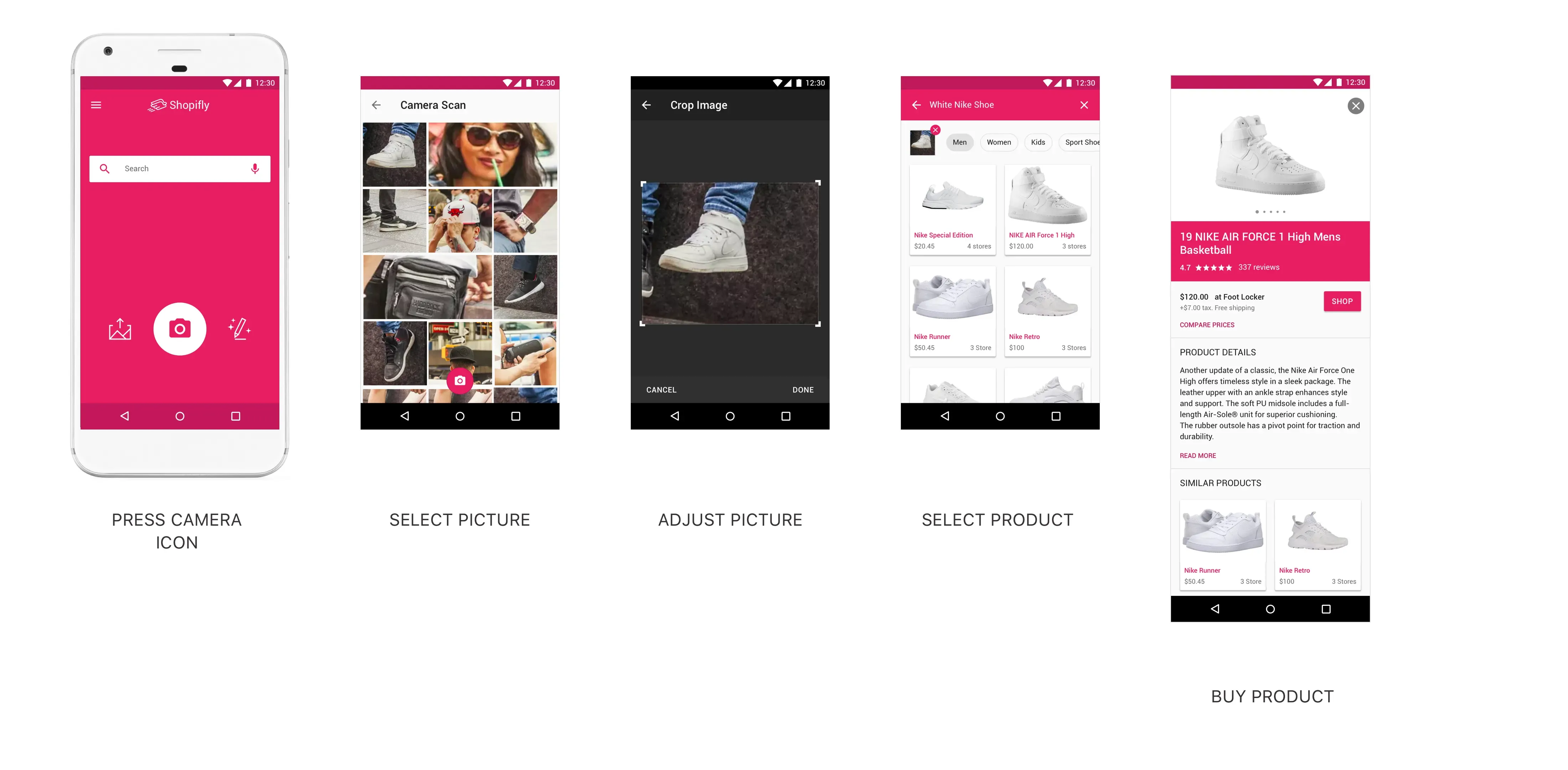
Scenario 1: (Camera Search) Kristina the shy notices a girl with a beautiful pair of shoes while returning from office at Time Squares, New York. She opens the Shopifly app and presses the camera button. Shopifly captures a picture of surrounding in all possible angles within seconds. Kristina did this without stopping or pointing the camera at shoes. Upon selecting a matching captured image, Kristina found the matching shoes in the search results.
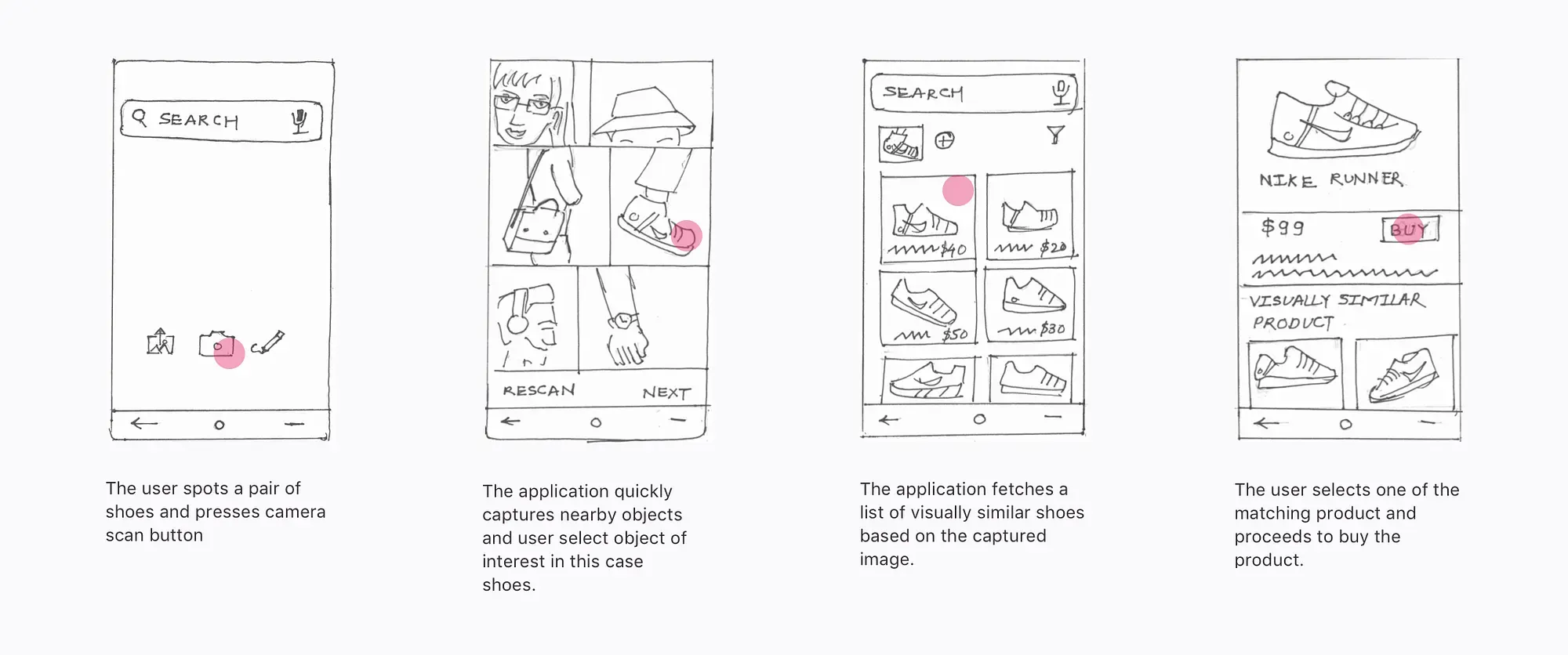
While working on this scenario I realized that there is still a significant delay between a moment of awareness till capturing picture. User still had to unlock mobile, find app icon and click for camera button.
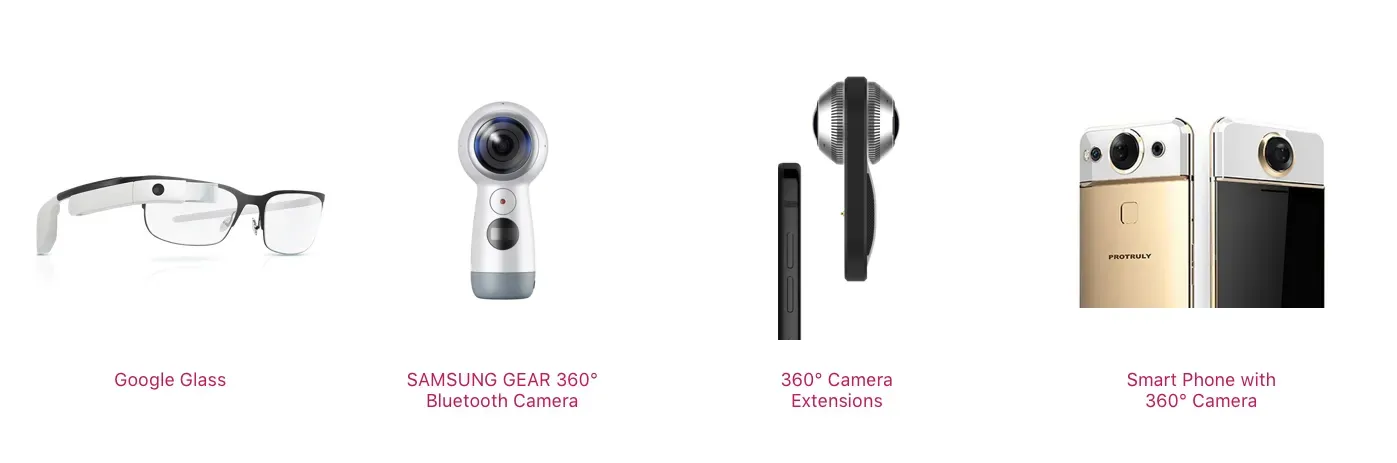
The solution to this could be a 360 degree cameras or Google glass paired with a smartphone which will reduce the delay and increase the quality of image significantly.
However, not all users will have access to these gadgets hence I decided to use double clicking on the power button as a hotkey to launch Shopifly.

As soon as you launch, Shopifly will scan the surrounding using existing camera preferably wide-angle view. This would help user to either select the captured accessories or do manual camera scan.
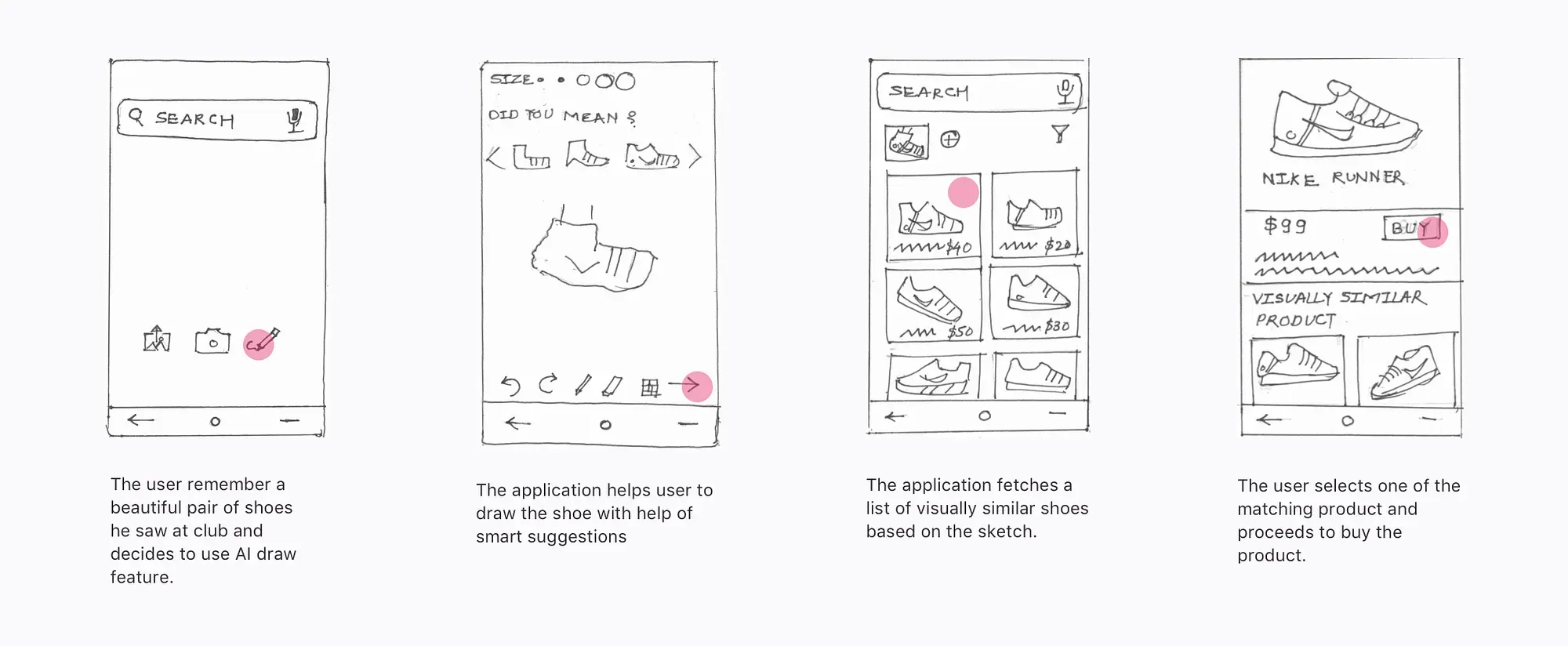
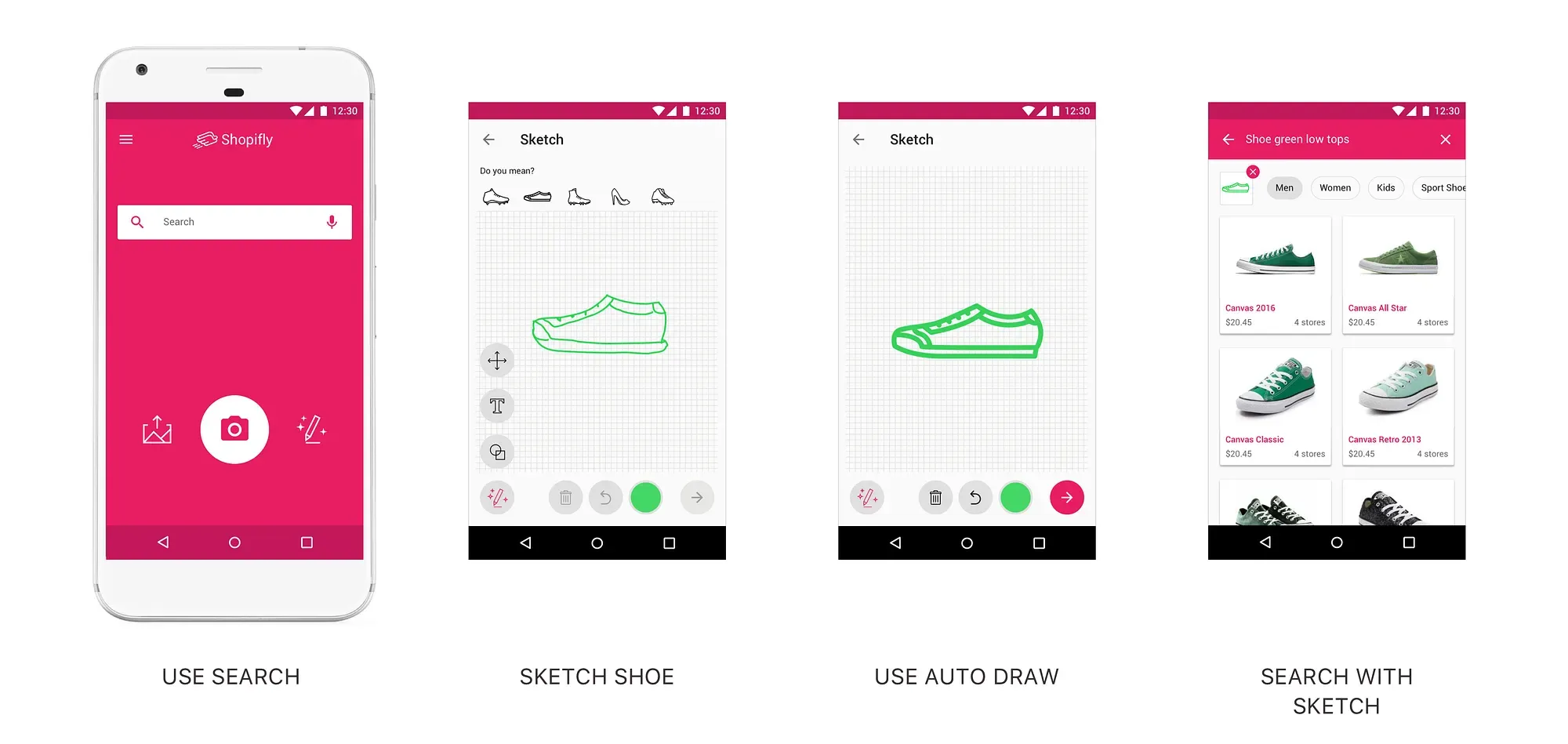
Scenario 2: (Sketch Search) Jack the artist notices a pair of beautiful shoes at the gym. He could not take the picture but he makes mental note of the Nike logo and visual cues of shoes. When he reach home, he opens the Shopifly app and starts doodling the shoe. The built-in AI helps Jack to sketch shoe. Upon sketching Shopifly suggest the some shoes based on the sketch. Sketch along with description helps Jack narrow down on the shoes he saw at the gym.
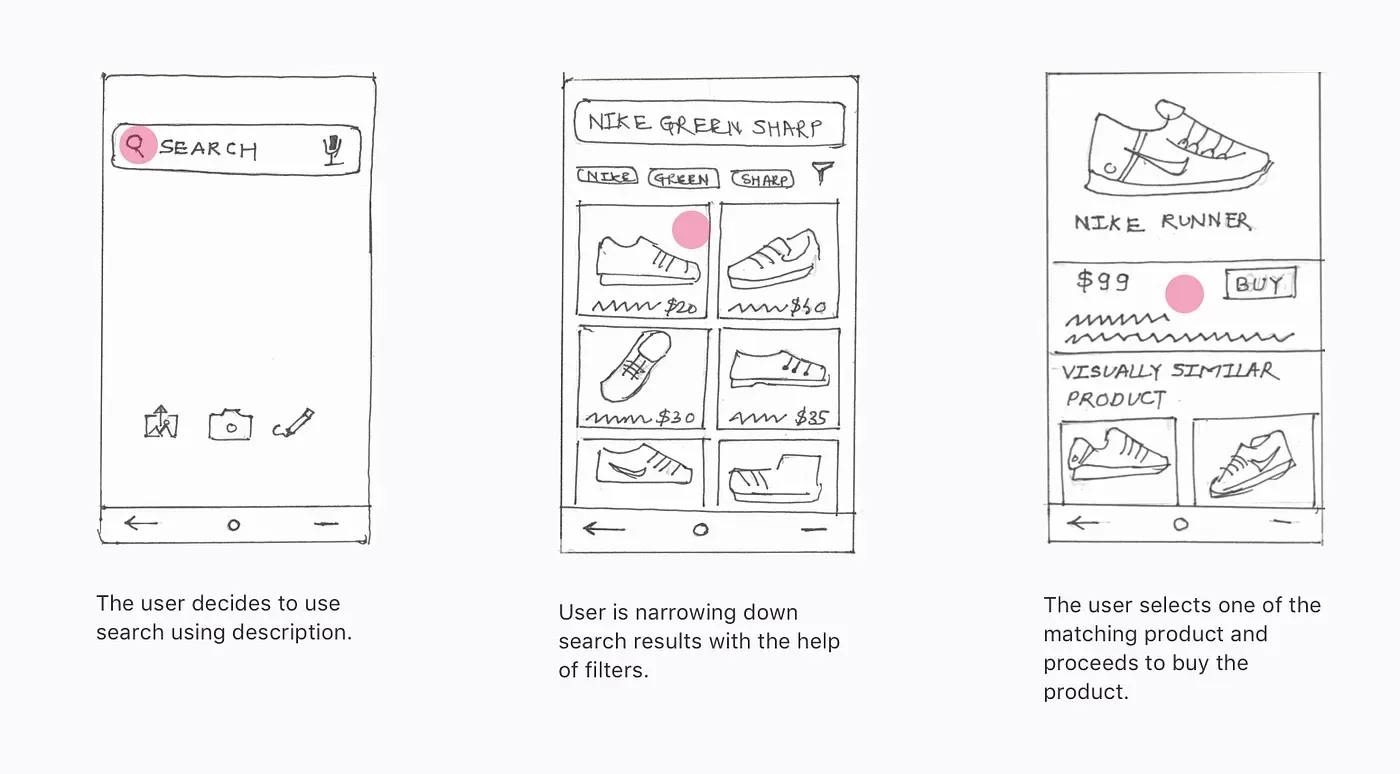
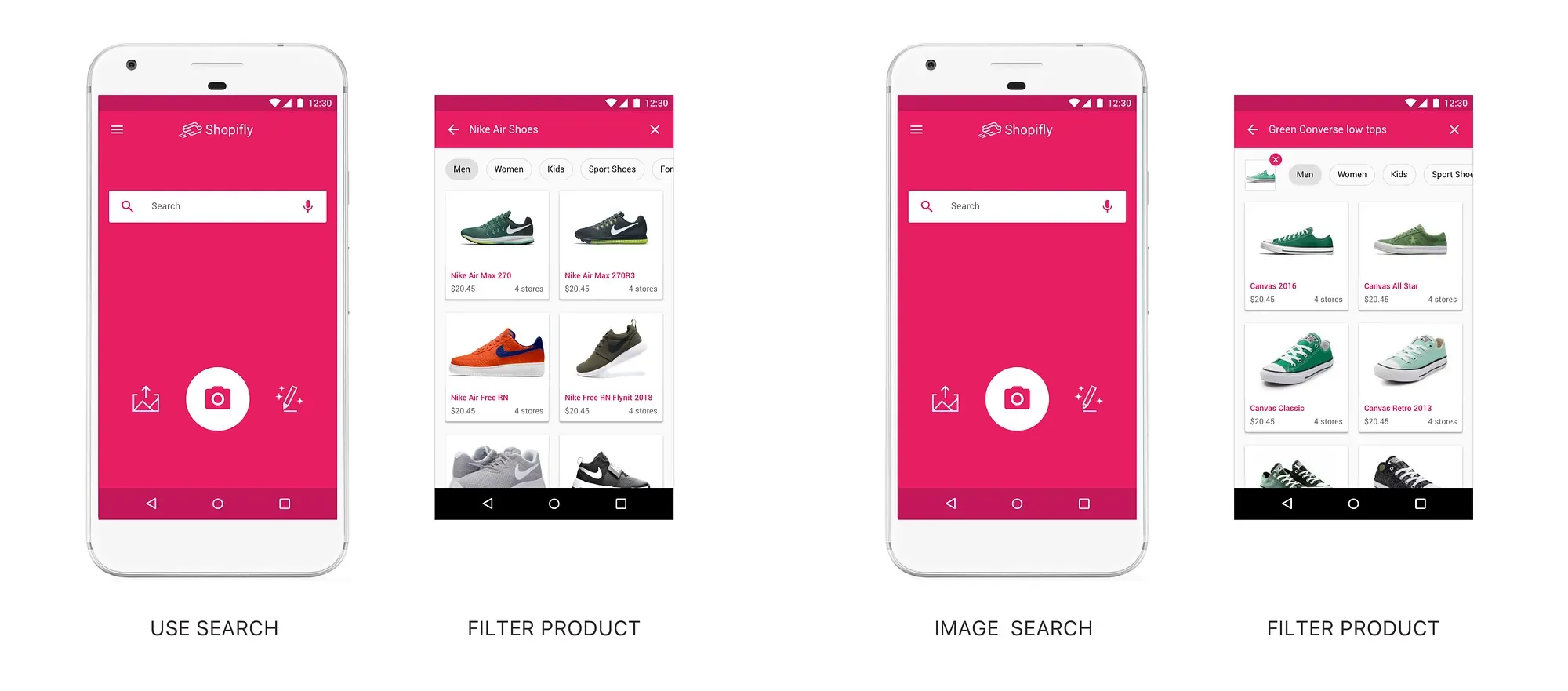
Scenario 3: (Text or Voice Search) Meridian the sociable also notices a great pair of sports shoes during the morning walk. She talks to the person and finds out brand and shoe type. She searches the shoes in Shopifly. The search result leads to a number of similar shoes with one she saw in morning.
Low-Fidelity Prototype
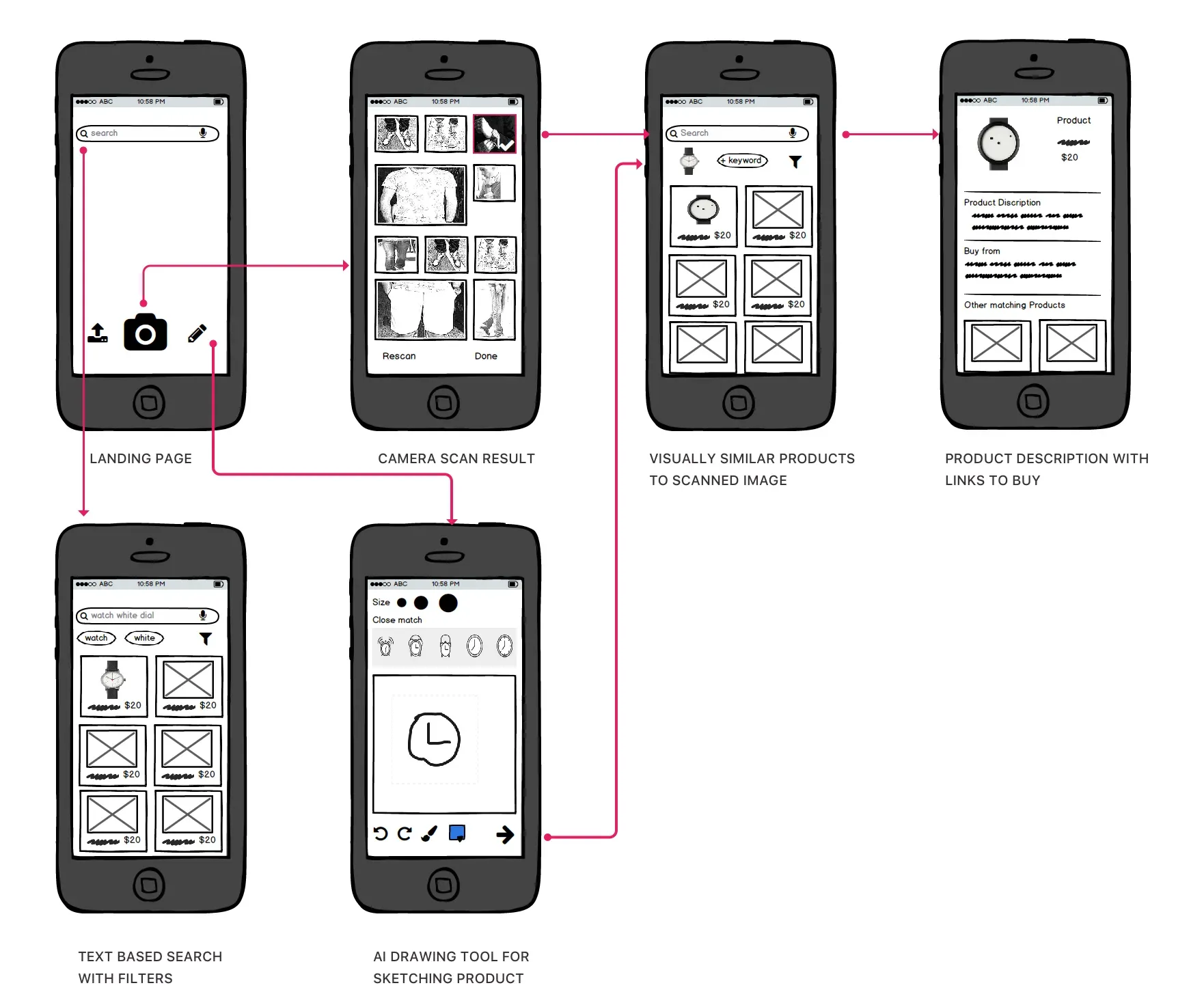
I created Balsamiq mockups to to test the rest of the screen.
Shopifly in Action
Imagine a Shopifly user, Lets call Nick is at Time Square, New York.
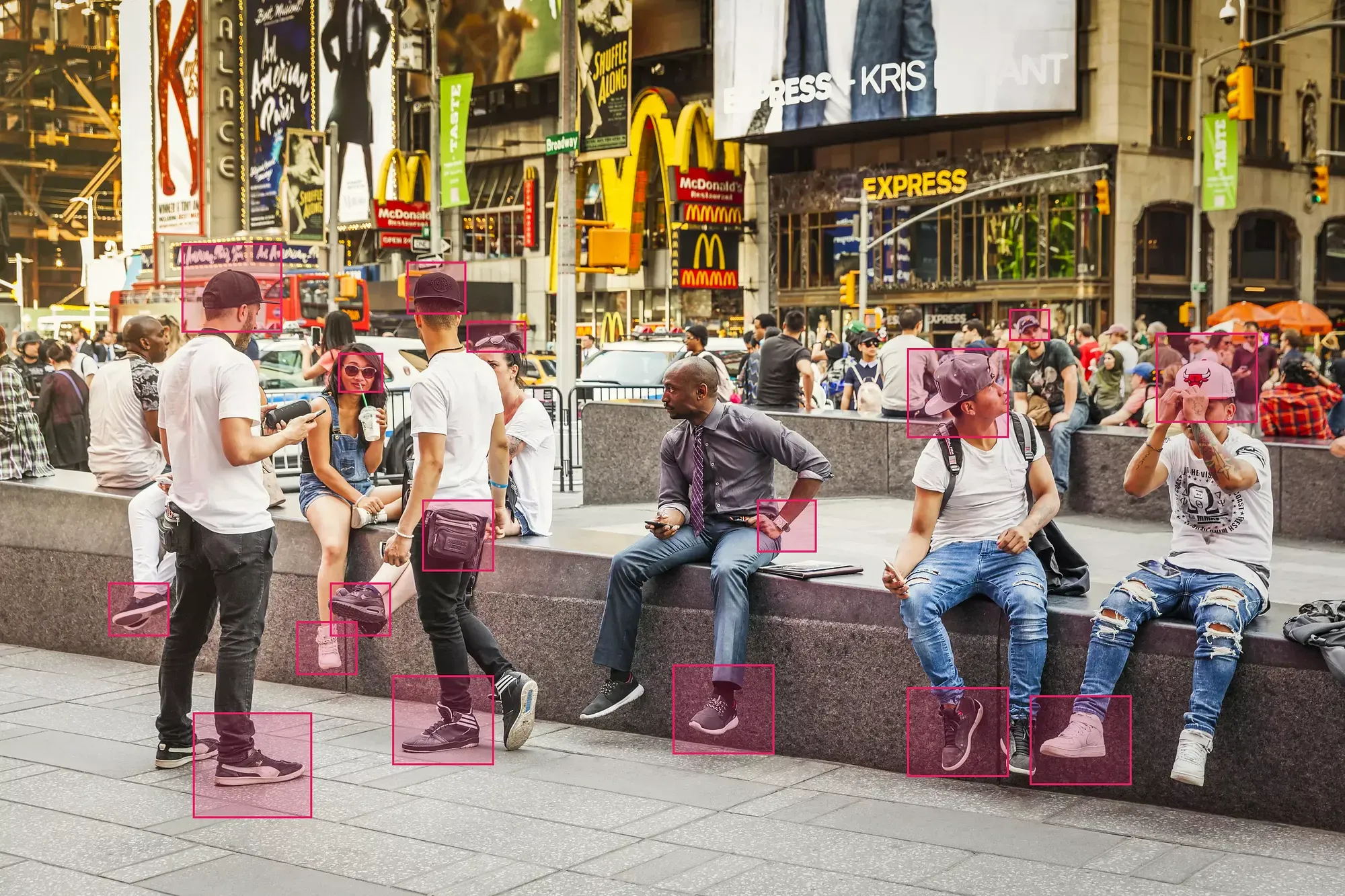
Nick opens up the application and uses the camera scan feature
What if Nick decides to do either text based search or image based search?
How about search based on description of a shoe Nick saw at Time Square?
Visual Design
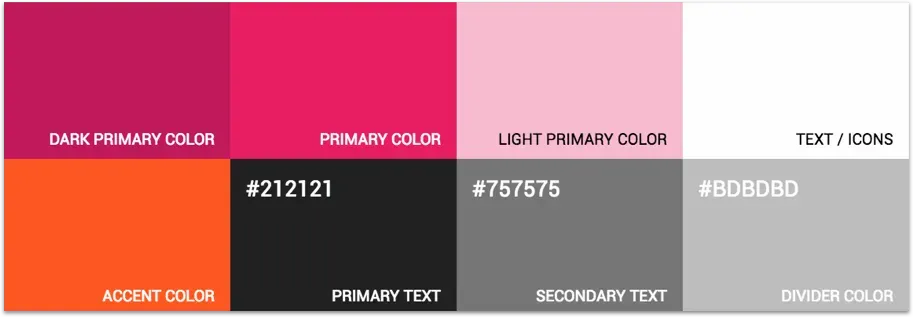
I wanted to invoke friendly and playful feeling , so I selected bright colors like pink as a primary. As a general rule of thumb, I used neutral gray and white as background color. The Google Color Toolcame in handy while defining the color palette.
Design Decisions and Reflection
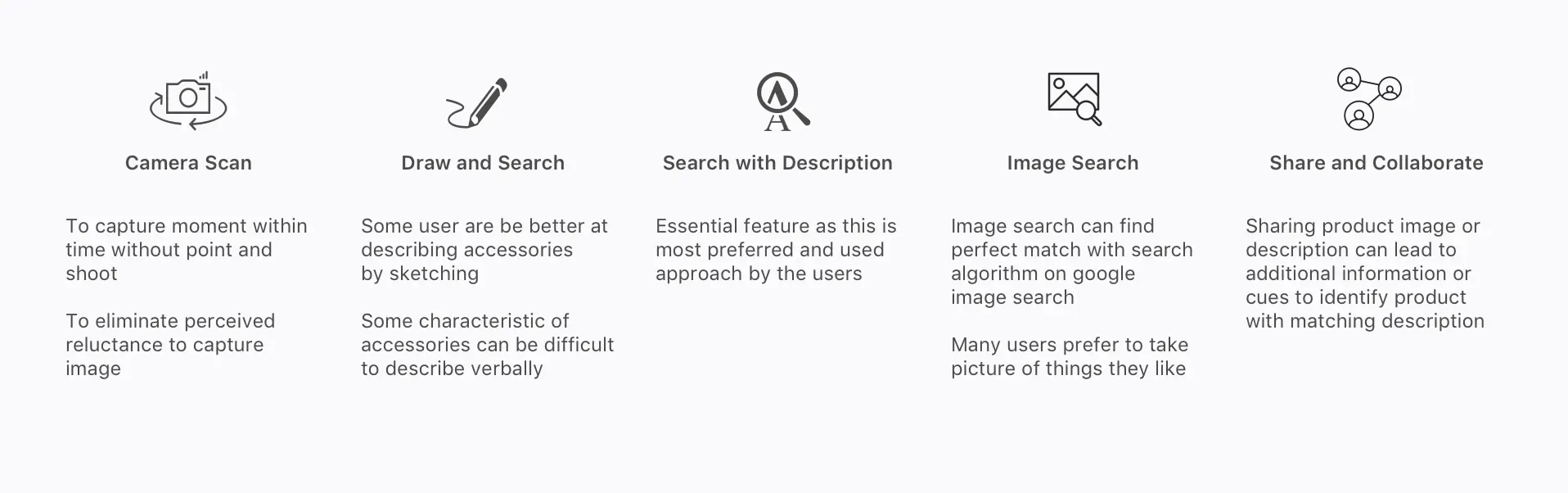
The camera scan, sketch search, description search, image search and social media features were highlighted and emphasized respectively. The camera scan was given highest emphasis as it satisfied the key need of identifying accessory on impulse. Other features were more offline and came handy in the later part of the user journey.
Conclusion
The design challenge was a good learning experience. Especially designing with limited time and technology constraint was thought-provoking. It required me to think creatively with pace. Also, I learned about doing just enough research to get the project going. These scenarios are very much similar to corporate project where you are often limited by resources.